City generator: curvy rivers
Curvy rivers
(Originally posted on Tumblr on 2025-02-16)
previously: meandering rivers
currently: curving rivers
rivers are basically mapped out by choosing one polygon on the edge of the map, and then randomly walking across the map, with a bias to make it go to the opposite side of the map.
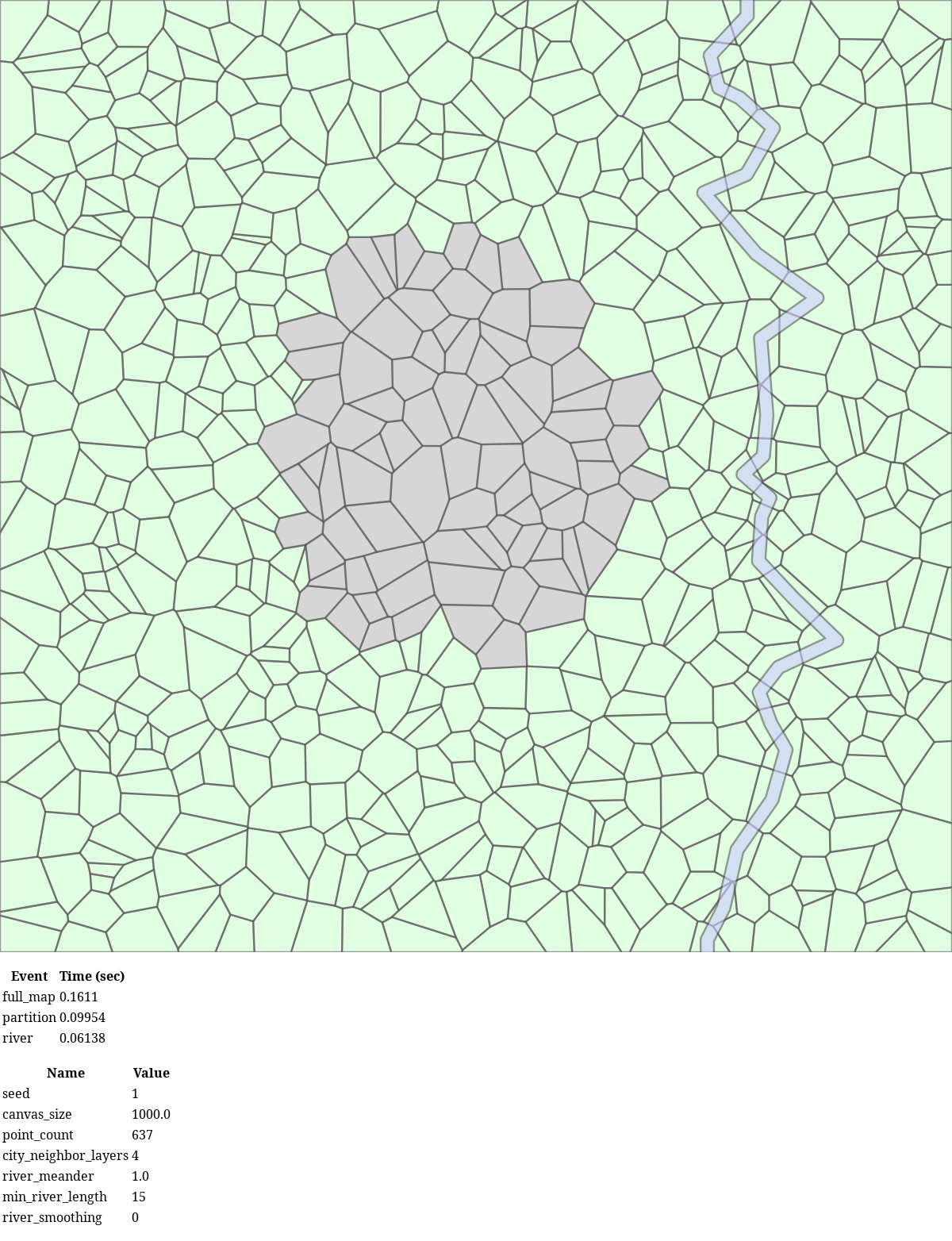
to make the river actually look like a river, rather than a bunch of blue polygons, I’m taking the center point (centroid) of each polygon that the river passes through, and creating a bunch of line segments between them. nice, it kinda looks more like a river.
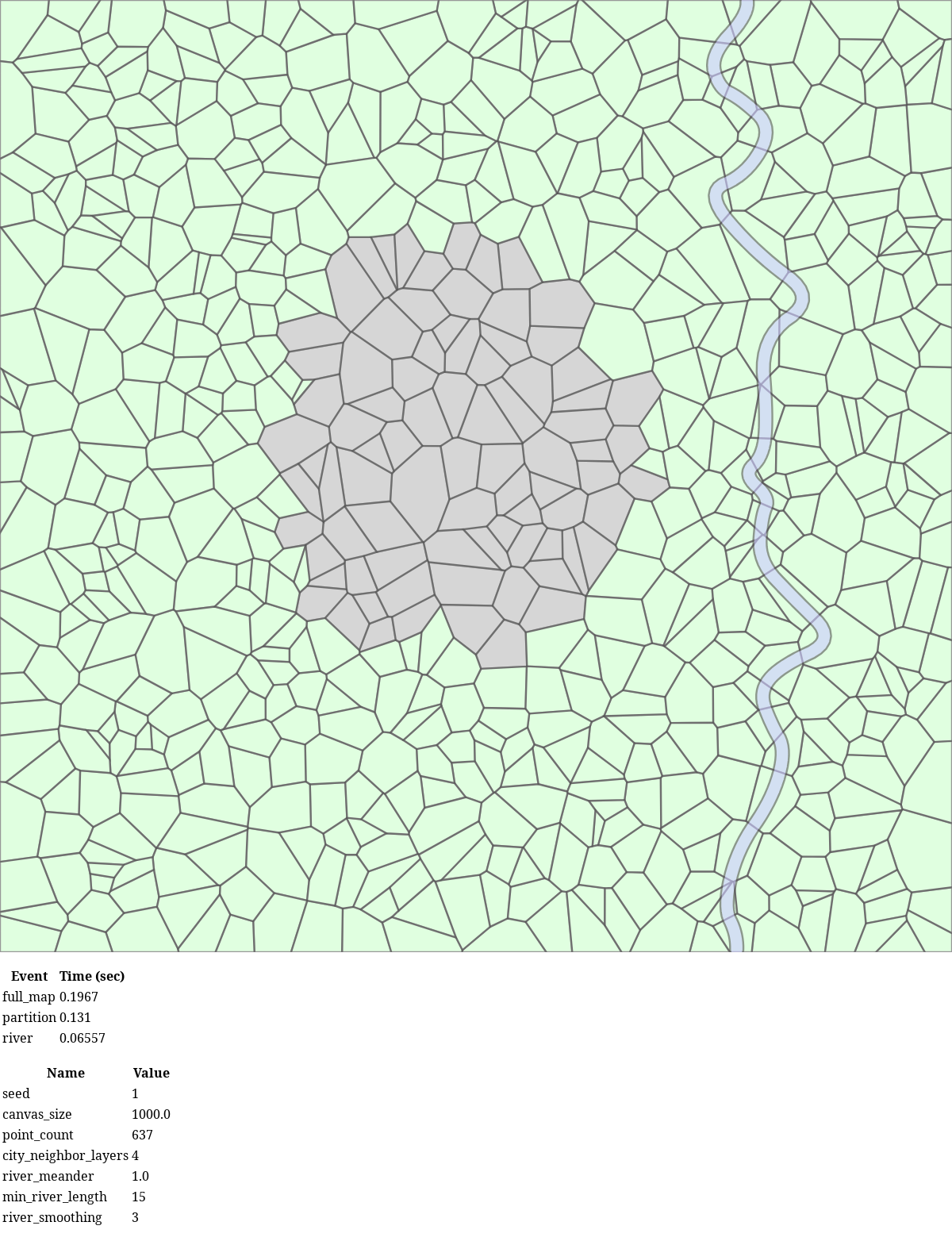
however, this creates river with sharp angles that look kinda crappy (first picture). so I decided to smooth it. I am using Chaikin’s smoothing algorithm [1], which is really simple. here’s a visual demonstration of how it works from the linked PDF (below):
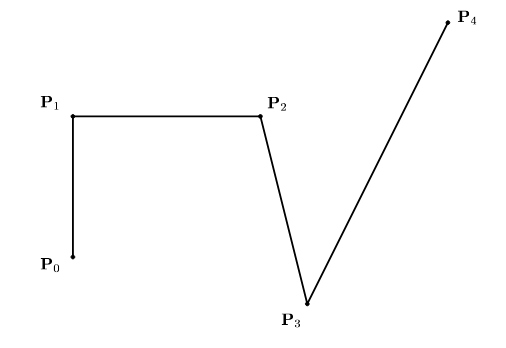
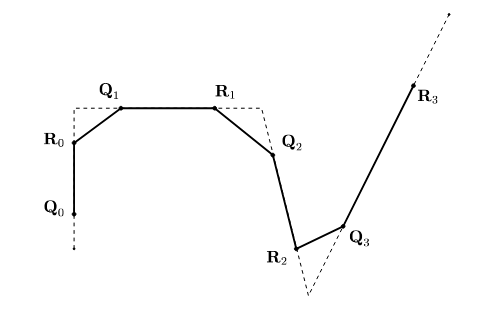
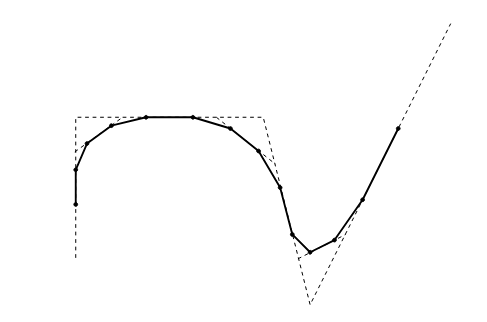
Chaikin's algorithm visualization
the actual algorithm is:
- look at the X, Y coordinates of the first point p1, and the second point p2.
- replace p1 with two new points, q and r, defined by q = p1 * 0.75 + p2 * 0.25, and r = p1 * 0.25 + p2 * 0.75.
- repeat this process on p2 and p3, then p3 and p4, etc until you have finished the list.
the second example, 28 original river points become 210 after 3 iterations of chaikin’s algorithm. the actual algorithm is dead simple, the hard part was getting the river to appear to flow past the edge of the canvas. I did this by just creating extra polygons just off screen next to the start and the goal and adding them to the river path.
oh yeah. that’s smooth, baby.
| [1] | https://www.cs.unc.edu/~dm/UNC/COMP258/LECTURES/Chaikins-Algorithm.pdf |